Sales Navigator vs Disburse: What’s the Easier Way to Find Your Exact ICP?
17 min readLachlan McBride White
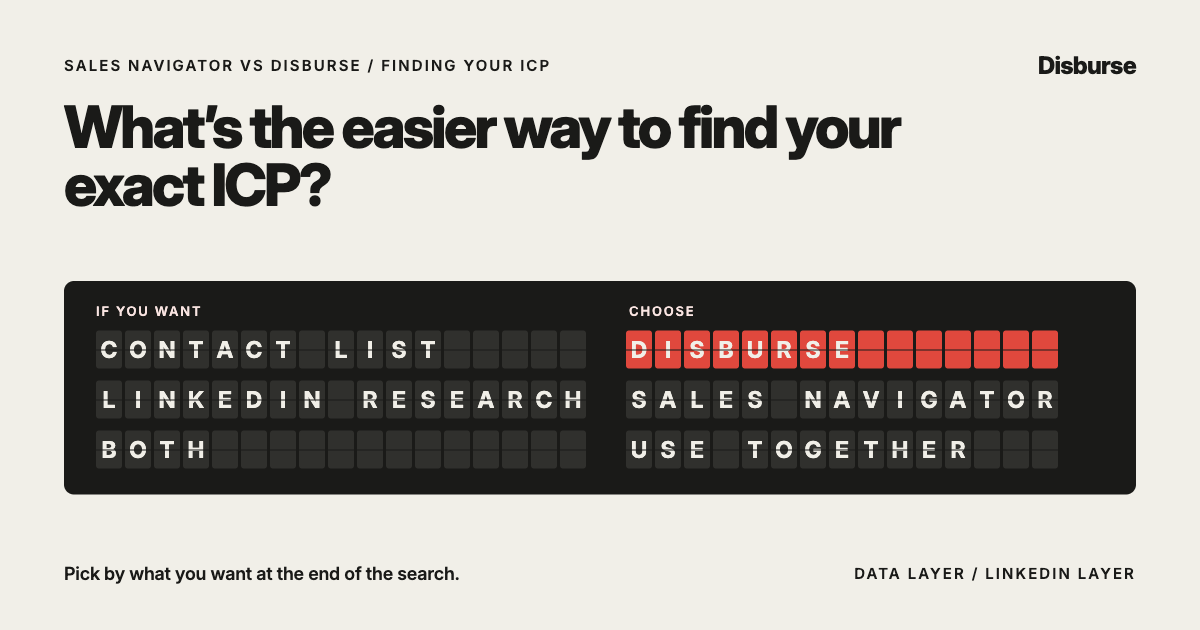
LinkedIn Sales Navigator and Disburse can both help B2B sales teams find people who match their ideal customer profile.
But they approach the problem differently.
Sales Navigator is LinkedIn’s sales prospecting platform. Its biggest advantage is access to LinkedIn’s professional network, combined with advanced search filters, relationship insights, account information, alerts and LinkedIn-native prospecting tools.
Disburse is a focused B2B data platform built around a simpler question:
Who exactly are you trying to find?
Describe the companies and decision-makers you want in natural language, and Disburse returns structured B2B contact and company data that can be used in your existing sales stack.
The short answer: If your goal is to turn a clearly defined ICP into a usable list of companies and contacts, Disburse is likely the easier route.
If your prospecting strategy depends heavily on LinkedIn activity, relationships, job changes, shared connections and researching people inside LinkedIn, Sales Navigator is stronger.
For many sales teams, the two tools solve different enough problems that they can also work well together.
Sales Navigator vs Disburse at a glance
Disburse
Best for: Turning an ICP into B2B contact dataNatural-language search: Core experienceAdvanced filters: Search criteria handled through the queryCompany search: YesPeople search: YesJob title targeting: YesSeniority targeting: YesIndustry targeting: YesCompany size targeting: YesGeography targeting: YesCompany revenue: YesBusiness emails: YesDirect/mobile numbers: YesLinkedIn URLs: YesRelationship intelligence: NoRecent job changes: Not a core featureRecent LinkedIn activity: NoShared connections: NoBuyer intent: Not a core featureREST API: YesMCP: YesBest output: Structured contact and company data
LinkedIn Sales Navigator
Best for: Prospecting and relationship intelligence inside LinkedInNatural-language search: Available alongside advanced searchAdvanced filters: 50+ advanced filtersCompany search: YesPeople search: YesJob title targeting: YesSeniority targeting: YesIndustry targeting: YesCompany size targeting: YesGeography targeting: YesCompany revenue: Available in account searchBusiness emails: Not the core productDirect/mobile numbers: Not the core productLinkedIn URLs: Native LinkedIn profilesRelationship intelligence: Major strengthRecent job changes: YesRecent LinkedIn activity: YesShared connections: YesBuyer intent: Available within Sales NavigatorREST API: Not designed as an open contact-data APIMCP: Not the core prospecting modelBest output: Leads, accounts and LinkedIn sales intelligence
What is the main difference between Sales Navigator and Disburse?
The biggest difference is what happens after you identify your ICP.
With Sales Navigator, prospecting happens mainly inside LinkedIn.
You can:
Search for leads and accounts
Refine results with detailed filters
Inspect profiles
Save prospects
Create lists
Monitor people or companies for changes
With Disburse, the goal is to turn the ICP into usable B2B data.
You might ask:
“Find founders of Australian B2B SaaS companies with 10–100 employees.”
Disburse then returns matching people and company records, including available contact information.
A simple way to think about the difference is:
Sales Navigator helps you research and navigate your target market on LinkedIn.
Disburse helps you turn your target market into contact data.
Can Sales Navigator find your exact ICP?
Yes.
Sales Navigator has one of the strongest B2B prospecting search environments available.
Its lead and account searches can use criteria such as:
Current company
Past company
Company headcount
Company type
Job function
Current job title
Seniority
Geography
Industry
Years in role
Years at company
Recent job changes
LinkedIn activity
Account lists
Annual revenue
Company headcount growth
Department headcount
Job opportunities
Buyer intent
It also provides more than 50 advanced search filters.
This makes Sales Navigator very powerful when a salesperson knows how to build the right search.
Does Sales Navigator have natural-language search?
Yes.
This is an important distinction.
Sales Navigator should no longer be described as a purely filter-based prospecting tool.
LinkedIn now supports conversational and natural-language search, while Sales Navigator also keeps its advanced filter system.
So the comparison is not:
Sales Navigator = filters
versus
Disburse = natural language
A better distinction is:
For Disburse, describing the audience you want is the core product experience.
For Sales Navigator, natural-language search sits inside a broader LinkedIn prospecting environment.
That environment also includes:
Advanced filters
Saved searches
Relationship intelligence
Alerts
Account research
How does Disburse find your ICP?
Disburse starts with the description of the target audience.
For example:
“Find founders of Australian recruitment agencies with 20–100 employees.”
Or:
“Find Heads of Sales at Singaporean SaaS companies with 50–200 employees.”
Or:
“Find CFOs at New Zealand manufacturing companies with A$20 million to A$100 million in revenue.”
The user does not need to translate the ICP into a long series of database selections first.
The search itself can contain the important criteria.
Disburse can work with person, company, contact and geographic data such as:
Title
Seniority
Job function
Company
Industry
NAICS
Company revenue
Employee count
Company locations
Specialties
City
Region
Country
Email availability
Phone availability
The result is a structured list of people and companies that match the request.
Which is easier for a very specific ICP?
For ICPs based mainly on who the person is and what kind of company they work for, Disburse is very straightforward.
Imagine your ICP is:
“Sales leaders at Australian cybersecurity companies with 20–100 employees.”
In Disburse, that can simply become the search.
Or perhaps you want:
“Founders of B2B SaaS companies in Australia, New Zealand and Singapore with 10–100 employees.”
Again, the target can be expressed directly.
Sales Navigator can also find highly specific audiences.
It offers more filtering depth in some areas.
The difference is that Disburse is built to make the ICP itself the search instruction.
Where is Sales Navigator better?
Sales Navigator has several major advantages that Disburse is not trying to copy.
The biggest is LinkedIn itself.
Sales Navigator can help a salesperson understand:
Whether someone recently changed jobs
Whether they recently posted on LinkedIn
Whether there is a shared connection
Whether someone previously worked at a customer
How the salesperson or team may be connected to an account
What is happening inside a target company
Which leads or accounts should be monitored
When saved leads change roles
Relevant activity happening on LinkedIn
That context can be extremely valuable.
If your prospecting strategy involves researching a person before outreach, finding warm introductions or using LinkedIn activity to decide when to engage, Sales Navigator is stronger.
Where is Disburse better?
Disburse becomes especially useful when the outcome you want is:
a list of people you can use elsewhere.
For example:
“Give me 500 founders of Australian software companies with 10–100 employees, including available business emails and mobile numbers.”
The goal is not always to research each person inside a prospecting platform.
The goal may be to retrieve structured prospect data and move it into:
A CRM
An outbound platform
An AI workflow
An internal application
A spreadsheet
A sales automation
Another sales tool
That is a different job from LinkedIn-native prospecting.
Sales Navigator vs Disburse for contact details
This is one of the most important differences between the platforms.
Sales Navigator is mainly a sales prospecting and relationship-intelligence product built around LinkedIn’s professional network.
Disburse is designed to return B2B contact data.
Depending on availability, a Disburse lead can include:
Name
Title
Seniority
Company
Company domain
Business email
Direct phone
LinkedIn URL
Industry
Company revenue
Employee count
Location
So if your end goal is:
“Find the right people and give me the data I need to contact them elsewhere.”
Disburse is more directly designed for that workflow.
Which is better for building outbound lists?
For building lists that will be used in another outbound system, Disburse is likely the more direct option.
Imagine you want to launch an outbound campaign to:
“Heads of Operations at Australian logistics companies with 50–500 employees.”
The desired output may not be a collection of saved LinkedIn profiles.
You may want a structured dataset containing:
People
Companies
Emails
Phone numbers
LinkedIn URLs
Those prospects can then move into your outbound workflow.
That is exactly the type of use case Disburse is built around.
Sales Navigator can be extremely useful for discovering and researching those prospects, but its core experience is still LinkedIn-based prospecting.
Which is better for LinkedIn prospecting?
Sales Navigator.
This is where the distinction is very clear.
If your salespeople spend significant time selling through LinkedIn, Sales Navigator offers tools that Disburse does not try to reproduce.
You can:
Save leads and accounts
Monitor changes
See relevant activity
Identify shared connections
Use LinkedIn-specific intelligence
Contact prospects with InMail
For a LinkedIn-led sales strategy, Sales Navigator is the stronger platform.
Which is better for email prospecting?
Disburse has the clearer advantage when the goal is obtaining prospect data for email outreach.
The platform can return available business email data as part of the lead record.
That data can then be moved into the company’s preferred outreach system.
Disburse does not need to become the place where the email campaign is run.
It can simply provide the data.
Which is better for phone prospecting?
Disburse is also better aligned with teams building call lists.
Available direct phone numbers can be returned with the prospect data.
Mobile numbers do not cost extra credits.
The credit model is:
One credit = one lead.
That makes it easy to build datasets for a mix of:
Email outreach
Phone outreach
LinkedIn outreach
Sales Navigator can still be valuable for callers who want to research the person or account before making contact.
But contact-data retrieval is not its main purpose.
Which is better for APAC prospecting?
For APAC teams, the answer depends on how the team sells.
A salesperson targeting Australia, New Zealand, Singapore, Hong Kong or other APAC markets may want to search:
“Find founders of B2B SaaS companies in Australia, New Zealand and Singapore with 20–100 employees.”
Or:
“Find Finance Directors at Australian and New Zealand engineering businesses with more than 100 employees.”
Or:
“Find senior sales leaders at Singaporean fintech companies with 50–500 employees.”
Disburse makes it easy to express these regional ICPs directly and retrieve the associated B2B data.
Sales Navigator’s advantage is the depth of professional profile and relationship information available through LinkedIn.
For APAC prospecting, the two can solve different parts of the workflow:
Disburse: Who fits the ICP and how can we reach them?
Sales Navigator: What can we learn about them through LinkedIn?
Actual contact-data coverage should always be tested against the specific APAC markets and audiences being targeted.
Which is better for founders?
For founder-led sales, Disburse can be especially simple.
Founders often understand their ICP intuitively.
They might say:
“Our best customers are Australian recruitment agencies with 20–100 employees, and I want to speak to the founder.”
With Disburse, that description can become the search.
The founder does not need to become an expert in sales-database filtering just to turn that ICP into a prospect list.
Sales Navigator is more useful when the founder wants to:
Research people individually
See mutual connections
Monitor LinkedIn activity
Approach prospects through LinkedIn
Which is better for small sales teams?
For small teams mainly needing prospect data, Disburse is likely to be the more focused option.
Its Growth plan costs A$20/month, includes 5,000 credits per month and supports up to five team members.
Scale costs A$99/month, includes 50,000 credits per month and supports unlimited team members.
Sales Navigator is a broader sales product and its pricing is generally seat-based.
This can make Disburse attractive where several salespeople need prospect data but the business does not need every user to have a full LinkedIn sales intelligence subscription.
However, a small team that does most of its selling through LinkedIn may still get strong value from Sales Navigator.
Which is better for sales research?
Sales Navigator.
This is another area where LinkedIn has a clear advantage.
Sales Navigator can surface:
Professional information
Company context
Relationship paths
Recent LinkedIn activity
Its AI-powered Lead IQ can also summarise useful information about a lead and company.
Account IQ provides company-level insights to support account research and meeting preparation.
Disburse is not designed to replace this type of sales research.
Its focus is finding the target audience and returning the data.
Which is better for building a large list?
Disburse is especially useful when list volume matters.
Current plans include:
Free: A$0 with 50 credits/month
Growth: A$20/month with 5,000 credits/month
Scale: A$99/month with 50,000 credits/month
Searching is unlimited.
One credit equals one lead.
Mobile numbers cost no extra credits.
There is no annual lock-in.
For businesses that need thousands or tens of thousands of prospect records, this creates a clear relationship between data volume and cost.
Sales Navigator’s value is less about bulk contact-data retrieval.
It is more about giving salespeople a strong environment for finding, understanding, saving and engaging prospects through LinkedIn.
Which is easier for experimenting with new ICPs?
Disburse has a strong advantage for teams that often test different target audiences.
Because searching is unlimited, a team can explore different ICPs before deciding which leads to retrieve.
For example:
“Australian SaaS founders with 10–50 employees.”
Then:
“Australian SaaS Heads of Sales with 50–200 employees.”
Then:
“Singaporean fintech founders with 20–100 employees.”
Then:
“New Zealand recruitment agency owners with 10–50 employees.”
That makes Disburse useful for both executing an established ICP and exploring new segments.
Sales Navigator is also strong for ICP exploration.
Its filters update results as criteria are added or removed, helping salespeople see how changes affect the available market.
The difference again comes down to the desired output.
If the goal is exploring LinkedIn’s professional network, Sales Navigator is powerful.
If the goal is turning an ICP into structured contact data, Disburse is more direct.
Which is better if you already know your ICP?
This is where Disburse’s value becomes especially clear.
If you already know:
The role
Seniority
Industry
Company size
Geography
Revenue range
Company characteristics
Then you may not need a complex prospect-research process.
You need to turn that definition into actual people.
For example:
ICP: Founders and CEOs at Australian B2B SaaS companies with 10–100 employees.
Disburse search: “Find founders and CEOs at Australian B2B SaaS companies with 10–100 employees.”
The ICP and the search can effectively be the same thing.
Which is better if you don’t know your ICP yet?
Sales Navigator can be very useful for exploratory prospect research.
A salesperson can:
Browse companies
Inspect people
Refine filters
Learn how a market is structured
Disburse can also be used to test different ICP ideas through unlimited searches.
The difference is subtle:
Sales Navigator helps you explore people and companies inside LinkedIn.
Disburse helps you test what a defined B2B audience looks like as a dataset.
Both approaches can be useful during ICP development.
Which is better for AI workflows?
Disburse is designed to make B2B data available beyond its own interface.
It supports REST and MCP.
This means prospect discovery can form part of:
AI assistants
AI agents
Internal applications
Automated prospecting workflows
Custom software
A workflow can ask for a specific audience and receive structured B2B data back.
The person requesting the data does not need to be working inside a traditional prospecting interface.
Sales Navigator is increasingly using AI inside its own product.
This includes AI-powered lead and account intelligence.
That makes it useful for helping salespeople prospect more effectively inside LinkedIn.
The distinction is:
Disburse makes B2B data useful as an input into AI workflows.
Sales Navigator uses AI to improve the LinkedIn prospecting workflow.
Can Sales Navigator and Disburse be used together?
Yes.
For some sales teams, this may actually be the strongest setup.
They do not have to be treated as mutually exclusive products.
A team could use Disburse to:
Find the ICP → retrieve contact data → build the prospect list.
Then use Sales Navigator to:
Research important prospects → identify relationship paths → monitor LinkedIn activity → personalise the approach.
For example, Disburse could identify:
“500 founders of Australian B2B software companies with 20–100 employees.”
Sales Navigator could then be used to research high-value prospects before outreach.
In that workflow:
Disburse provides the data layer.
Sales Navigator provides the LinkedIn intelligence layer.
Is Disburse a Sales Navigator alternative?
Yes, but only for certain use cases.
If you mainly use Sales Navigator to answer:
“Who are the people that match our ICP?”
Then Disburse can be a genuine alternative.
If you mainly use Sales Navigator for:
LinkedIn relationship intelligence
Mutual connections
Monitoring leads
LinkedIn activity
InMail
Job-change alerts
Account research
Then Disburse is not a direct replacement.
The two products overlap in prospect discovery but diverge after that.
When should you choose Sales Navigator?
Sales Navigator is likely the better choice if:
LinkedIn is a major sales channel
Relationship intelligence matters
You want mutual-connection information
You research prospects individually
Recent LinkedIn activity matters
Job-change alerts are useful
You want to save and monitor leads
You use InMail
Account research is an important part of sales
Your salespeople live inside LinkedIn
Its strongest advantage is the professional and relationship context available through LinkedIn.
When should you choose Disburse?
Disburse is likely the better choice if:
You already know your ICP
You want to describe that ICP naturally
You need structured prospect data
You need business emails
You need direct phone numbers
You want to build larger lead lists
You prospect across APAC
You already have an outreach platform
You already have a CRM
You want REST access
You want MCP access
You are building AI prospecting workflows
You regularly test different audiences
You want simple credit usage
You want contact data rather than another sales engagement platform
Its strongest advantage is how directly it moves from:
“This is who we want.”
to:
“Here are the people.”
Sales Navigator vs Disburse: what’s the easier way to find your exact ICP?
If the objective is simply to turn a clearly defined ICP into a usable B2B contact list, Disburse is likely the easier option.
Describe the audience, run the search and retrieve the matching people and companies.
There is no need to make Disburse the centre of the sales workflow.
The data can move into whatever CRM, outbound platform, AI system or internal workflow the business already uses.
Sales Navigator is stronger when finding the ICP is only the beginning.
It gives salespeople access to LinkedIn’s professional network, advanced filters, relationship intelligence, recent activity, alerts and account research.
The easiest way to choose is to ask what you want at the end of the search:
If you want a usable contact list, choose Disburse.
If you want to prospect, research and build relationships inside LinkedIn, choose Sales Navigator.
And if both matter, using Disburse for contact data and Sales Navigator for LinkedIn intelligence can be a strong combination.
Frequently asked questions
Is Disburse an alternative to LinkedIn Sales Navigator?
Yes, if your main use of Sales Navigator is finding people and companies that match an ICP.
Disburse is not a replacement for LinkedIn-specific relationship intelligence, InMail, activity monitoring or other LinkedIn-native features.
Which is easier for finding an exact ICP?
For a clearly defined ICP based on person, company and geographic criteria, Disburse provides a very direct workflow.
The audience can be described in natural language and returned as structured B2B data.
Does Sales Navigator have natural-language search?
Yes.
LinkedIn now supports natural-language search capabilities, while Sales Navigator also provides more than 50 advanced search filters.
Natural-language search is not unique to Disburse.
Does Disburse provide LinkedIn profiles?
Disburse can return LinkedIn URLs as part of available prospect data.
Does Sales Navigator provide business emails?
Sales Navigator is mainly designed for LinkedIn-based prospecting and relationship intelligence.
It is not primarily a bulk business-email database.
If business email retrieval is the main goal, a dedicated B2B data platform such as Disburse is more directly designed for that use case.
Can Disburse find mobile numbers?
Disburse can return available direct phone data.
Mobile numbers do not cost extra credits.
Which is better for cold email?
Disburse is better aligned with teams that need contact data to feed into a separate cold-email platform.
Sales Navigator is stronger for LinkedIn-led prospecting.
Which is better for cold calling?
Disburse is better aligned with building structured call lists that include available phone data.
Sales Navigator can complement this by providing more context about the person and company before a call.
Which is better for LinkedIn outreach?
Sales Navigator.
It is purpose-built for prospecting inside LinkedIn and includes relationship, activity and messaging features.
Which is better for APAC prospecting?
Disburse is especially relevant for businesses that want to define and retrieve audiences across Australia, New Zealand, Singapore and other APAC markets.
Sales Navigator is especially useful where LinkedIn profile and relationship intelligence are central to the sales strategy.
Which is better for founders?
Disburse can be simpler for founders who already know who they want to sell to and need the contact data.
Sales Navigator can be stronger for founders who rely heavily on LinkedIn networking and relationship-led selling.
Which is better for agencies?
Disburse can be useful for agencies that often switch between different client ICPs and need structured contact lists.
Sales Navigator may be more useful where the agency does manual LinkedIn prospecting or relationship research.
Can I use Sales Navigator and Disburse together?
Yes.
Disburse can identify the target audience and retrieve contact data.
Sales Navigator can then be used to research important prospects and add LinkedIn-specific context.
Which is better for AI prospecting?
Disburse is well suited to workflows where an AI assistant, agent or application needs structured B2B data through REST or MCP.
Sales Navigator increasingly uses AI to improve prospect research and selling inside LinkedIn.
Which is better overall?
For turning a clearly defined ICP into structured B2B contact data, Disburse is likely the easier choice.
For LinkedIn-native prospecting, relationship intelligence and individual prospect research, Sales Navigator is the stronger platform.
APAC ProspectingSmall Sales TeamsB2B Contact DatabaseFounder-Led SalesLinkedIn ProspectingAI ProspectingNatural-Language SearchB2B DataSales ProspectingDisburseB2B Lead ListsRelationship SellingLinkedIn Sales NavigatorIdeal Customer Profile (ICP)