Lusha vs Disburse for Finding B2B Emails and Phone Numbers
19 min readLachlan McBride White
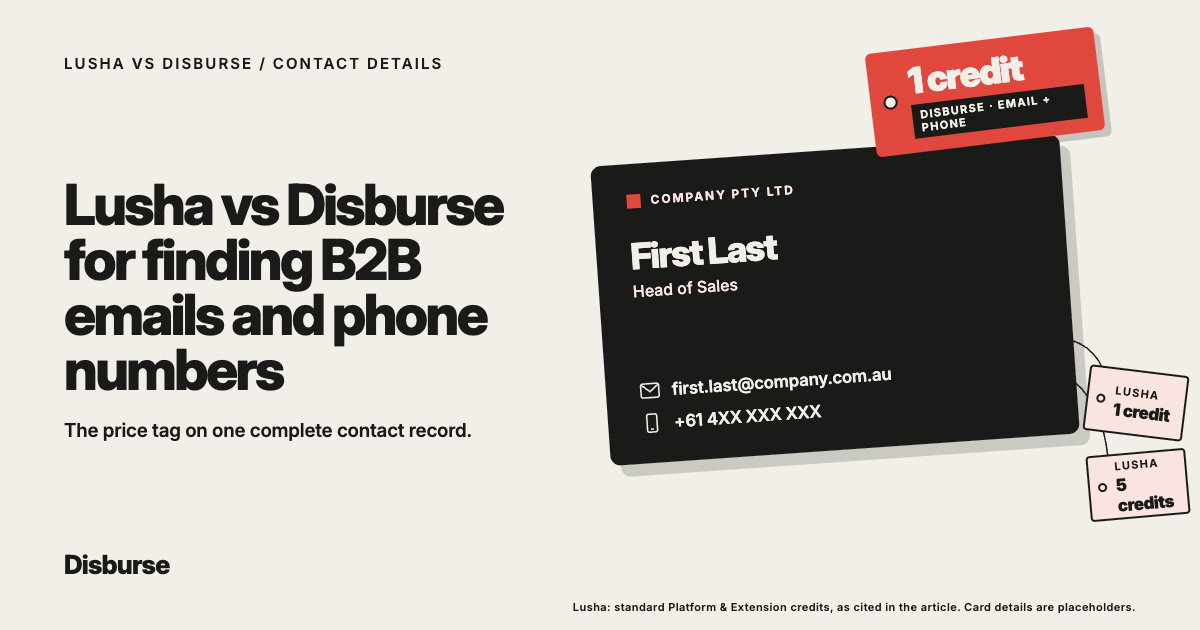
Lusha and Disburse can both help sales teams find business emails and phone numbers.
But comparing them only on contact lookup misses a large part of what each platform can do.
Both can:
Find B2B people and companies
Provide business emails and phone data
Enrich data you already have
Support browser-based prospecting
Connect through APIs
Work with modern AI workflows
The difference becomes clearer when you look at what happens around the email or phone number.
Lusha is a broad sales intelligence platform with contact search, enrichment, signals, CRM integrations and an established Chrome extension.
Disburse is a B2B data platform designed to make company and contact data easy to find, enrich and use.
You can search for an audience in natural language, enrich an existing CSV, find companies similar to a successful customer, identify relevant decision-makers, use the Chrome extension, or bring the data into AI and software workflows through REST and MCP.
The short answer: If you mainly want occasional contact lookups inside a broader sales intelligence platform, Lusha is a strong option.
If you regularly need complete prospect records, especially email and phone data together, Disburse is likely the better fit.
Its one-credit-per-lead model also makes the economics easier to predict for teams building larger or multi-channel prospect lists.
Lusha vs Disburse at a glance
Feature
Business emails
Disburse:
Yes
Lusha:
Yes
Direct/mobile phone data
Disburse:
Yes
Lusha:
Yes
LinkedIn URLs
Disburse:
Yes
Lusha:
Yes
People and company search
Disburse:
Yes
Lusha:
Yes
Natural-language search
Disburse:
Yes
Lusha:
Yes
Enrich existing contacts
Disburse:
Yes
Lusha:
Yes
CSV enrichment
Disburse:
Yes
Lusha:
Yes
Find similar companies
Disburse:
Yes
Lusha:
Yes
Persona discovery
Disburse:
Yes
Lusha:
Yes
Chrome extension
Disburse:
Yes
Lusha:
Yes
REST API
Disburse:
Yes
Lusha:
Yes
MCP
Disburse:
Yes
Lusha:
Yes
AI workflows
Disburse:
Yes
Lusha:
Yes
Native sales signals
Disburse:
Not a core feature
Lusha:
Yes
Standard email credit
Disburse:
Included within lead
Lusha:
1 credit
Standard phone credit
Disburse:
No extra credit
Lusha:
5 credits
Email + phone together
Disburse:
1 lead credit
Lusha:
Up to 6 standard credits
Pricing approach
Disburse:
One credit per lead
Lusha:
Credits vary by data and action
Best suited to
Disburse:
Complete, flexible B2B data workflows
Lusha:
Contact data inside a broader sales intelligence platform
Can Lusha and Disburse both find emails and phone numbers?
Yes.
Both platforms can return business email and phone data.
If that were the whole comparison, there would not be much separating them.
The bigger difference is how the contact record is treated once you find it.
Lusha vs Disburse contact credits
Data retrieved
Disburse:
Included in 1 lead credit
Lusha:
1 credit
Phone
Disburse:
No extra credit when available
Lusha:
5 credits
Email + phone
Disburse:
1 lead credit
Lusha:
Up to 6 credits
Lusha’s standard Platform and Extension model charges:
1 credit for an email
5 credits for a phone number
Up to 6 credits if you reveal both
Searching, filtering and viewing company information does not consume credits in that standard workflow.
Lusha also does not charge again simply to view data you have already revealed.
Disburse works differently:
One credit = one lead.
Available mobile numbers do not require additional credits.
That difference is relatively small when you occasionally need one email address.
It becomes much more important when your sales team routinely wants a complete record with:
Email
Phone
LinkedIn
Company information
What does a useful B2B contact record actually look like?
For most sales teams, an email address by itself is not the end goal.
A useful prospect record may include:
Name
Job title
Seniority
Company
Business email
Phone number
LinkedIn URL
Company domain
Industry
Revenue
Employee count
Location
The salesperson can then choose how to approach the prospect.
They might:
Email first
Call first
Review their LinkedIn profile
Use several channels over time
Thinking about the complete prospect rather than individual data fields is useful when comparing Lusha and Disburse.
Disburse’s pricing is structured around that idea.
The lead is the unit.
How does Disburse find B2B contact data?
There are several ways to start.
Search for an audience
You can describe the people you need:
“Find 100 Heads of Sales at Australian software companies with 50 to 200 employees.”
Or:
“Find founders of B2B SaaS companies in Australia, New Zealand and Singapore with 10 to 100 employees and available contact information.”
Enrich data you already have
If you already have a spreadsheet containing thousands of contacts, you can upload it and enrich those records instead.
Start with a good customer
If you have a customer that represents your ideal target, you can find similar companies and then identify the relevant people inside them.
The important difference is that contact discovery does not have to begin with knowing someone’s name.
How does Lusha find B2B contact data?
Lusha also provides several ways to find contacts.
Salespeople can:
Search its database
Use AI-assisted prospecting
Enrich records
Use its Chrome extension
Access contact data while browsing professional networks
Work from company websites
Use APIs and AI workflows
Its browser extension remains particularly useful for contact-by-contact prospecting.
If a rep is already looking at a particular decision-maker and wants their work email or phone number, the workflow is straightforward.
Lusha has also expanded well beyond this traditional lookup model.
It should not be thought of as simply a browser extension or email finder in 2026.
Which is better for finding business emails?
If you only need email addresses, the comparison is fairly close.
A standard Lusha email reveal costs:
1 credit
Disburse uses:
1 credit for the lead
For an email-only campaign, there may therefore be little practical difference in the basic credit unit.
Disburse becomes more interesting when email is only one part of the data you need.
If the same prospect also needs:
A mobile number
Company information
LinkedIn URL
Firmographic data
you are still dealing with one lead rather than separately pricing each way you might contact that person.
For multi-channel sales teams, that can be a more natural model.
Which is better for finding phone numbers?
This is where the difference becomes more noticeable.
Lusha currently charges:
5 credits for a standard phone reveal.
Disburse does not charge additional credits when available mobile data is included with a lead.
For a salesperson looking up five phone numbers each month, this may not be a deciding factor.
For a team building 5,000 or 20,000 prospects and planning to call a meaningful percentage of them, it can be significant.
A more useful comparison is therefore not:
“How much does each subscription cost?”
It is:
“What does it cost us to build the complete dataset our salespeople actually use?”
For phone-heavy prospecting, Disburse has a clear structural advantage.
Which is better if you need both email and phone data?
For teams that routinely want both, Disburse is likely the more practical choice.
Under Lusha’s standard credit model, revealing both an email and phone number can use:
Up to 6 credits for one person.
With Disburse:
The person remains one lead.
That means salespeople do not need to make a small budgeting decision every time they want another way to contact someone.
For multi-channel outbound, this matters.
A rep may:
Email the prospect.
Follow up by phone.
Review LinkedIn before the next touch.
The underlying sales asset is the person, not whichever individual field was unlocked first.
Can Disburse enrich email and phone data for contacts you already have?
Yes.
You do not need to use Disburse only for creating new prospect lists.
Suppose you already have a CSV containing more than 2,000 contacts.
Disburse can use existing identifiers, such as email addresses, to match those records and add available person and company information.
This can be useful when you have:
An old prospect database
CRM records with missing fields
A client-supplied contact list
Email addresses without enough company information
Company records without the right people attached
Data being prepared for another AI or sales workflow
Many businesses already have plenty of records.
The problem is that those records are incomplete.
Can Lusha enrich existing contacts?
Yes.
Enrichment is also a significant part of Lusha.
Lusha supports:
CSV enrichment
CRM workflows
API-based enrichment
Contact and company enrichment
So enrichment itself is not a simple differentiator between the platforms.
The more useful question is how enrichment fits into everything else you need to do.
With Disburse, the broader workflow can include:
Find an audience → enrich an existing list → find similar companies → identify relevant people
That flexibility can be useful when a team does not have one fixed B2B data workflow.
Can Disburse find phone numbers from an existing list?
Yes, where available.
An existing contact list can be the starting point for enrichment.
You do not need to find every person again.
This is useful when you already have:
Names
Emails
Company records
but need additional contact or company information.
You may also already know which businesses you want to target but still need the right decision-makers and contact details.
Disburse can work from that starting point too.
Can Disburse find similar companies and then their contacts?
Yes.
This can be especially useful when your ideal customer is easier to explain with an example than with a long list of filters.
Suppose an Australian SaaS company has one customer that is almost a perfect fit.
Instead of manually reverse-engineering every characteristic of that company, the team can use it as the starting point.
For example:
“Find companies similar to this business in Australia and New Zealand, then find the Heads of Sales at those companies.”
The workflow becomes:
Target company → similar companies → relevant personas → contact data
That is useful for founders and sales teams that already know what a good account looks like.
Does Lusha have lookalike functionality?
Yes.
Lusha also supports lookalike capabilities.
Similar-company discovery should not be treated as something only Disburse can do.
The distinction is how the capabilities work together.
With Disburse, you can move naturally between:
Target company → similar companies → relevant personas → contact data
or:
Uploaded file → enriched records
or:
Natural-language ICP → matching contacts
Those are different requests, but they sit inside the same B2B data model.
Which is better for browser-based email and phone lookup?
Both now have Chrome extensions.
Lusha has a mature extension and is well known for contact lookup while salespeople browse:
LinkedIn
Sales Navigator
Company websites
Other supported workflows
Disburse also has a Chrome extension.
So browser-based B2B data access is available on both sides.
If browser lookup is only one part of your workflow, ask what happens after you leave the browser.
Can the platform:
Enrich a large CSV?
Build an audience from a prompt?
Find similar companies?
Give your AI tools access to the same data?
Retrieve contacts economically at scale?
Those questions are likely to matter more over time.
Which is better for cold calling?
For cold-calling teams, Disburse deserves serious consideration.
The reason is straightforward:
Available phone data does not require another five credits.
A calling team may need thousands of mobile numbers every month.
At that point, the credit model becomes an important part of the purchasing decision.
Lusha may still provide more value through its wider sales intelligence functionality.
But if the main requirement is:
“Give our reps targeted contacts with numbers they can call.”
Disburse’s lead-based model is particularly well aligned with the job.
Which is better for cold email?
Both can work well.
If the job is simply to find occasional business email addresses, Lusha’s one-credit email reveal is straightforward.
If you are building larger datasets that also need:
Company information
Mobile numbers
LinkedIn URLs
Other fields
Disburse becomes more attractive.
This is especially relevant for teams that do not want to decide at the data-buying stage exactly which outreach channel they will use.
With a complete lead record, the sales process can make that decision later.
Which is better for multi-channel prospecting?
Disburse has a strong case here.
Multi-channel teams usually want more than an email list.
They want prospects that can move between:
Email
Phone
LinkedIn
CRM workflows
AI-assisted outreach
That means having several useful data points attached to the same person.
Because Disburse prices around the lead rather than charging extra credits for an available mobile number, it fits naturally with multi-channel prospecting.
Which is better for APAC contact data?
Neither platform should be declared universally better across every APAC market without testing.
Data quality varies.
An Australian software founder is a different data problem from:
A finance executive in Singapore
A Managing Director at a New Zealand engineering company
A recruitment owner in Australia
A fintech founder in Hong Kong
Disburse does provide a natural way to express these regional audiences.
For example:
“Find sales leaders at Australian cybersecurity businesses with 50 to 200 employees.”
“Find fintech founders in Singapore and Hong Kong.”
“Find Managing Directors of recruitment agencies in Australia and New Zealand.”
For an APAC-focused team, the best approach is to run the same real ICP through both databases and compare:
Relevant contacts found
Correct job information
Email coverage
Phone coverage
Company data
Cost per useful record
That is more valuable than comparing global database-size claims.
Which is better for small sales teams?
For a small team mainly using a database to find and enrich B2B contacts, Disburse is difficult to overlook.
Disburse pricing
Plan
Free
Price:
A$0
Included:
50 credits/month
Growth
Price:
A$20/month
Included:
5,000 credits/month, up to 5 team members
Scale
Price:
A$99/month
Included:
50,000 credits/month, unlimited team members
Enterprise
Price:
Custom
Included:
Custom requirements
Available mobile numbers do not require extra credits.
That means a small team can build substantial datasets without the cost increasing every time another salesperson wants phone data.
Lusha may make more sense if the same team gets meaningful value from its broader sales intelligence functionality.
The better product is the one whose features the team will actually use.
Which is better for agencies?
Agencies often need both discovery and enrichment.
One client might ask:
“Find 1,000 founders of Australian software companies.”
Another might send a spreadsheet with 2,000 existing contacts that need more information.
Another might provide five ideal customers and ask:
“Find similar companies and the decision-makers at each.”
These are all B2B data jobs.
Disburse can handle them without forcing the agency into one fixed prospecting method.
This becomes especially useful when several clients have completely different ICPs across:
Australia
New Zealand
Singapore
Other APAC markets
Which is better for recruiters?
Recruiters often already have substantial databases.
That makes enrichment just as important as finding new contacts.
A recruitment business could use Disburse to:
Enrich existing company records
Enrich contact lists
Identify companies similar to strong clients
Find decision-makers in a new sector
For example:
“Find Heads of Talent at Australian technology companies with 100 to 500 employees.”
The same platform can then be used to improve older records that are missing useful data.
Lusha can also support discovery and enrichment.
Recruiters should compare the actual workflow, data coverage and economics.
Which is better for AI workflows?
Both platforms support modern AI use cases.
Disburse provides REST and MCP access, allowing B2B data to be used from:
AI assistants
AI agents
Applications
Automated workflows
Instead of opening a database manually, an AI workflow could request:
“Find 100 Heads of Sales at Australian SaaS businesses.”
Or:
“Enrich this existing contact file with available company data.”
Or:
“Find companies similar to these customers and identify their founders.”
Lusha also offers API and AI functionality.
It should not be treated as a non-AI competitor.
The better question is not whether a product has AI branding.
It is:
“Can the data fit naturally into the AI workflows our business actually wants to run?”
Which is better for developers?
Both can work for developers.
Disburse provides REST and MCP access for integrating people and company data into:
Internal sales tools
AI agents
SaaS applications
Enrichment workflows
Prospecting systems
Lusha also provides APIs for prospecting and enrichment within its wider platform.
If the development requirement is mainly flexible B2B data access, Disburse is a straightforward option.
If the application also needs Lusha-specific sales intelligence functionality, Lusha may make more sense.
Which is easier to understand from a pricing perspective?
Disburse.
The rule is:
One credit = one lead.
Available mobile numbers do not require extra credits.
That does not automatically mean Disburse is cheaper for every workflow.
But it does make forecasting simple.
If you need 5,000 people, you can think in terms of 5,000 leads.
With Lusha, cost depends more heavily on:
Which data is revealed
Which part of the platform is being used
Whether email, phone or both are needed
That flexibility can be useful when you only need one field.
It also means buyers need to understand their likely usage before comparing plans.
Which offers better value for complete B2B contact data?
For complete prospect records, Disburse is likely to have an advantage for many teams.
Consider what happens when every prospect needs both email and phone data.
Under Lusha’s standard model:
Up to 6 credits can be used for one person.
With Disburse:
The person remains one lead.
That difference compounds quickly at scale.
For 20 occasional contact lookups, it may barely matter.
For 10,000 multi-channel prospects, it becomes a much more important purchasing consideration.
Where is Lusha stronger?
Lusha has genuine advantages.
It is an established global sales intelligence platform.
Its wider product includes:
Native sales signals
Mature enrichment
Broader sales intelligence
Established browser workflows
CRM integrations
API functionality
Teams that want those capabilities alongside their B2B data may prefer to have them inside one platform.
That is a legitimate reason to choose Lusha.
Where is Disburse stronger?
Disburse becomes especially compelling when the requirement is broader than one-off contact lookup but narrower than adopting another full sales intelligence platform.
It can:
Find people from natural-language requests
Find companies
Provide emails
Provide available phone data
Enrich existing contacts
Enrich company lists
Work with large CSVs
Find similar companies
Identify personas within those companies
Work through a Chrome extension
Connect through REST
Connect through MCP
Work inside AI workflows
Then there is the pricing model.
For a sales team that wants the complete lead rather than individual pieces of it:
One credit per lead is simple and scalable.
When should you choose Lusha?
Lusha is a good fit if you want contact data inside a broader sales intelligence platform.
It makes particular sense when:
Native sales signals matter
Lusha’s wider ecosystem is important
Your workflow involves occasional contact lookup
You want enrichment inside a broader sales platform
You value its established browser workflow
When should you choose Disburse?
Disburse is likely the better fit if:
You regularly build complete prospect datasets
You need both email and phone data
You enrich data you already own
You want to work with large lists
You use natural-language B2B search
You find prospects based on an ICP
You use lookalike companies to expand your market
You want to find personas within target accounts
You prospect through a Chrome extension
You work through AI assistants or agents
You need REST or MCP
You already have the rest of your sales stack
You prospect heavily across APAC
You need high lead volumes
You prefer predictable per-lead economics
That covers many of the reasons businesses buy B2B contact data in the first place.
Lusha vs Disburse: which is better for B2B emails and phone numbers?
If you only need the occasional email address, Lusha is a perfectly reasonable choice.
It has a mature contact database, established lookup workflows and a broader sales intelligence platform around the data.
But most sales teams eventually need more than isolated email addresses.
They need people they can actually prospect to.
That means knowing:
Who the person is
Where they work
Whether they fit the ICP
How to reach them
What company they work for
Which outreach channels are available
They may also need to enrich thousands of contacts they already have or find new companies that resemble their best customers.
Once the requirement moves from:
“Find this email.”
to:
“Give us usable B2B data.”
Disburse becomes much harder to overlook.
The product can find, enrich and expand B2B datasets through:
Natural language
Browser workflows
REST
MCP
AI
Its credit model also fits the way multi-channel sales teams use data:
One person. One lead. One credit.
For businesses regularly using both email and phone data, especially at higher volumes, Disburse is likely the stronger choice.
Lusha remains compelling if you want broader sales intelligence functionality around the contact database.
But if the contact data itself is the main reason you are buying the product, Disburse makes a strong case.
Frequently asked questions
Is Disburse better than Lusha for emails and phone numbers?
For teams that routinely need complete B2B records with both email and available phone data, Disburse is likely the better fit.
Lusha remains strong for individual contact lookup and broader sales intelligence workflows.
Does Disburse provide business emails?
Yes.
Available business email data can be included in Disburse contact records.
Does Disburse provide phone numbers?
Yes.
Disburse can provide available direct and mobile phone data.
Does Disburse charge extra for mobile numbers?
No.
Available mobile numbers do not consume extra Disburse credits.
How many credits does Lusha charge for an email?
Lusha’s standard Platform and Extension model charges 1 credit for an email reveal.
How many credits does Lusha charge for a phone number?
A standard Lusha phone reveal costs 5 credits.
How many Lusha credits are needed for email and phone?
Revealing both can consume up to 6 standard credits for one contact.
How many Disburse credits are needed for email and phone?
Disburse uses one credit for the retrieved lead.
Available mobile data does not require extra credits.
Can Disburse enrich existing contact lists?
Yes.
Existing contact and company datasets can be enriched with available information rather than requiring users to create a new list.
Can Disburse enrich a CSV?
Yes.
Large CSV files can be used as the starting point for enrichment, including files containing thousands of contacts.
Can Disburse match existing contacts by email?
Yes.
Existing identifiers such as email addresses can be used to match records and add available person and company data.
Can Lusha enrich existing contacts?
Yes.
Lusha supports contact, company, CSV and CRM enrichment.
Can Disburse find similar companies?
Yes.
A company can be used as the starting point to identify similar businesses and then find relevant personas within those companies.
Does Disburse have a Chrome extension?
Yes.
Does Lusha have a Chrome extension?
Yes.
Both platforms support browser-based prospecting workflows.
Which is better for cold calling?
Disburse is particularly attractive for teams that regularly need phone data because available mobile numbers do not require extra credits.
Which is better for cold email?
Both can provide business email data.
The difference becomes more important if you also need phone, LinkedIn and company data for the same contacts.
Which is better for multi-channel prospecting?
Disburse is particularly well aligned with multi-channel prospecting because its pricing revolves around the lead rather than charging extra credits for available mobile data.
Which is better for high-volume prospecting?
Disburse is a strong option.
Growth provides 5,000 monthly credits for A$20.
Scale provides 50,000 monthly credits for A$99.
Which is better for APAC?
Disburse is particularly relevant for APAC-focused workflows across Australia, New Zealand, Singapore and other regional markets.
Actual coverage should still be tested against your specific ICP.
Which is better for agencies?
Disburse is especially useful where an agency needs a mixture of:
Prospect discovery
Existing-list enrichment
Similar-company discovery
High-volume B2B data
Different client ICPs
Which is better for AI workflows?
Both support AI use cases.
Disburse is particularly suited to workflows where B2B data needs to be found, enriched or expanded directly through REST or MCP.
Can Disburse replace Lusha?
For many B2B contact-data workflows, yes.
Disburse can:
Find people and companies
Provide contact data
Enrich existing datasets
Identify similar companies
Find relevant personas
Work through a Chrome extension
Connect through REST
Connect through MCP
Lusha may remain preferable if its broader native sales intelligence functionality is central to your process.
Which should I choose, Lusha or Disburse?
Choose Lusha if you want B2B contact data inside a broader sales intelligence ecosystem.
Choose Disburse if your priority is flexible access to complete B2B data, especially when you need email and phone data together, enrichment, high volumes, APAC prospecting or AI-driven workflows.
APAC ProspectingPhone Datalead generationCold EmailMulti-Channel ProspectingSmall Sales TeamsB2B Contact DatabaseAI ProspectingNatural-Language SearchB2B DataSales ProspectingData EnrichmentLushaDisburseCold CallingB2B Lead ListsSales IntelligenceLusha AlternativeIdeal Customer Profile (ICP)B2B Prospect List